
BSAP Museum - (under construction)
A BSAP Regimental Association Project
The museum has a central area off which are 5 rooms, each containing images and items relevant to an era.
1890 – 1903 (Beginning to amalgamation of Matabeleland and Mashonaland divisions into BSAP)
1904 – 1919 (Early BSAP and WW1, Murray’s Column etc)
1920 – 1947 (Depression years and WW2)
1948 – 1965 (Formation of Federation, Federation up to UDI)
1966 – 1980 (UDI period up to Zimbabwe Independence)
Currently there is nothing in these rooms except a few bits in the 1890 – 1903 room. We require good quality (300 dpi resolution) pertinent images and relevant writeups. Looking at the image of the horses crossing a river in this room you can see it is not clear and sharp. It is at 100 dpi.
One white male, one white female, one black male and one black female mannequins would be very useful. (hire when appropriate). Provided we can get complete uniforms in which to dress these, it will be possible to create 3D models to stand in appropriate places within the museum.
This project could and should be a community effort between all surviving members of the Force and any other parties that may have relevant articles, pictures and documents. Therefore all who have items they consider may be of use please let the Webmaster know what it is they have. In many instances it will be possible to have the items photographed in the owner’s premises and uploaded.
Navigation in the museum is as follows: -
Using your mouse move the blue circle with the two white footprints to the point to which you want to go and left click. You should see a pale blue flash around this circle and the avatar will move to that point. If you do not see the light blue flash, move the circle a little and try again.
Rolling the mouse wheel backwards and forwards changes your point of view back and forth.
Holding the left mouse button down and panning left and right changes your view left and right.
Holding the left mouse button down and moving the mouse backwards and forwards changes your viewpoint down and up.
Doors will automatically open when you stand next to them.
Rolling the mouse wheel backwards and forwards will change your point of view relative to the avatar.
Clicking on an image will bring up 3 icons. The magnifying glass will position you in front of the image. The arrows will enlarge the image and the i will open a box containing some information about the image. If that box has a Learn More button, this will take you to a web page that has a detailed story about the image.
Images can be clickable which will bring up those icons to the side of the image.
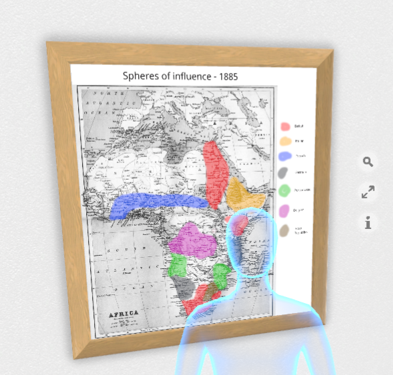
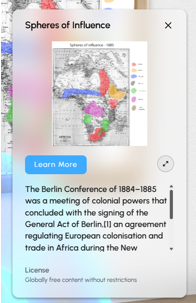
The magnifying glass basically centres you on the image, the arrows blow up the image and the i brings up a panel like this on the right.
Here you can click on the Learn More button and you will be taken to the relevant page on the website. In this case I have it going to the ‘The Beginning’ page in bsap.org.
We can add audio to the images which could be appropriate music or a verbalisation describing the image instead/as well as being able to go to a web page to read about it.
Enter the Museum by clicking the button on the right.